Fixing Ghost API Calls in Next.js (AbortController & SWR)
The UI looked random until the network tab showed older requests still winning.

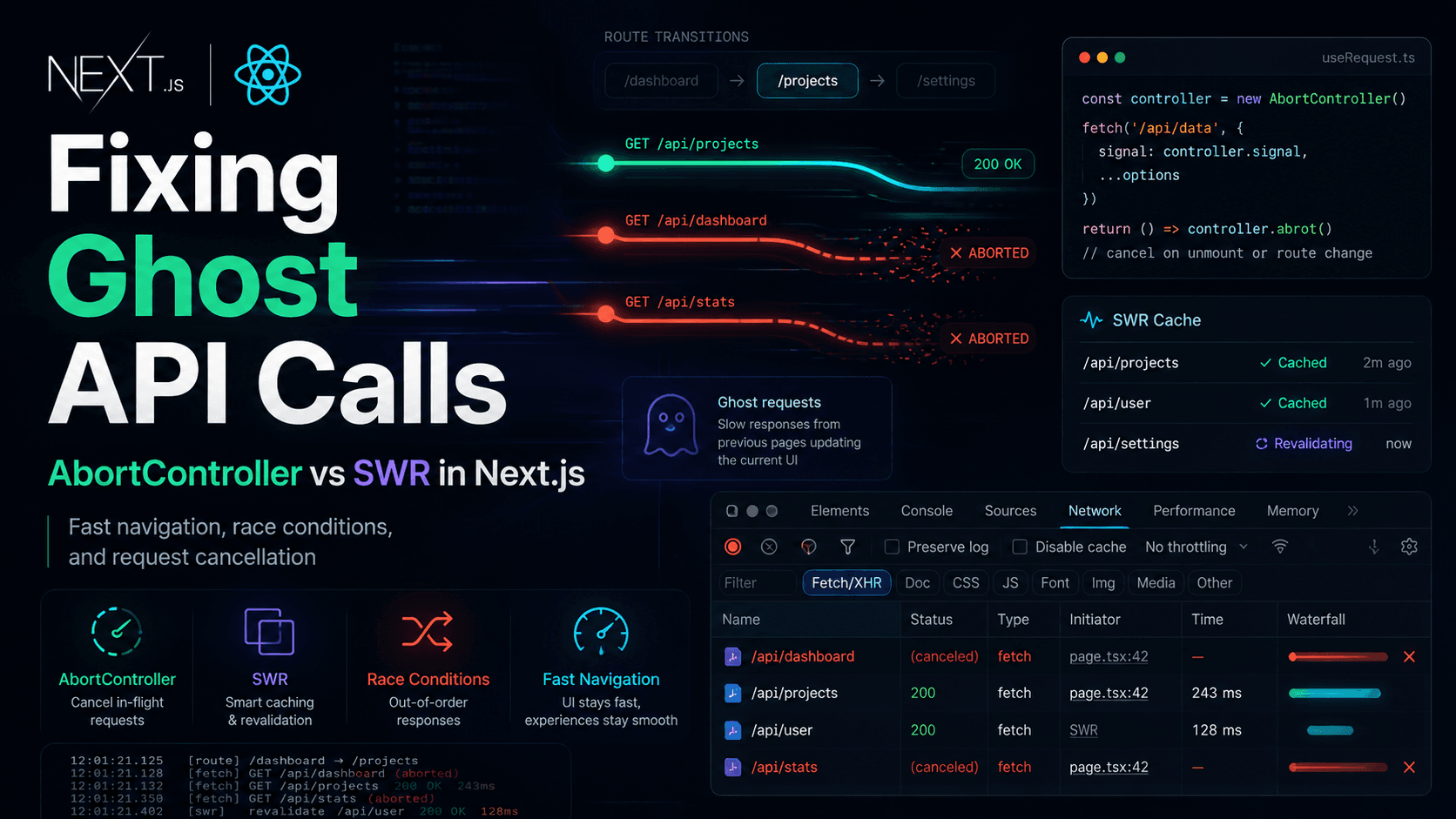
This is a debugging story from a Next.js App Router tools dashboard: filters, workspace tabs, quick navigation, and API calls that kept answering late. The UI would flicker to the right data, then snap back to something older. Sometimes it looked random. It was not random—it was request sequencing.
The problem is not that requests are async. The problem is assuming they finish in the order they started.
Production often looks like:
Latency variance (CDN, DB, cold starts, mobile networks) makes reordering common. Latest user intent should usually win—but nothing enforces “latest” unless you implement it.
What is
When a request is aborted,
SWR does not magically fix races. Misconfigured keys, global fetchers with hidden shared state, or
Debouncing alone did not solve my correctness issue. Users could still navigate faster than debounce windows. Cancellation + keyed fetching did.
Abort is cleaner when you truly do not need the response. Version counters help when abort is awkward (some libraries, streaming, shared workers).
The bug felt random
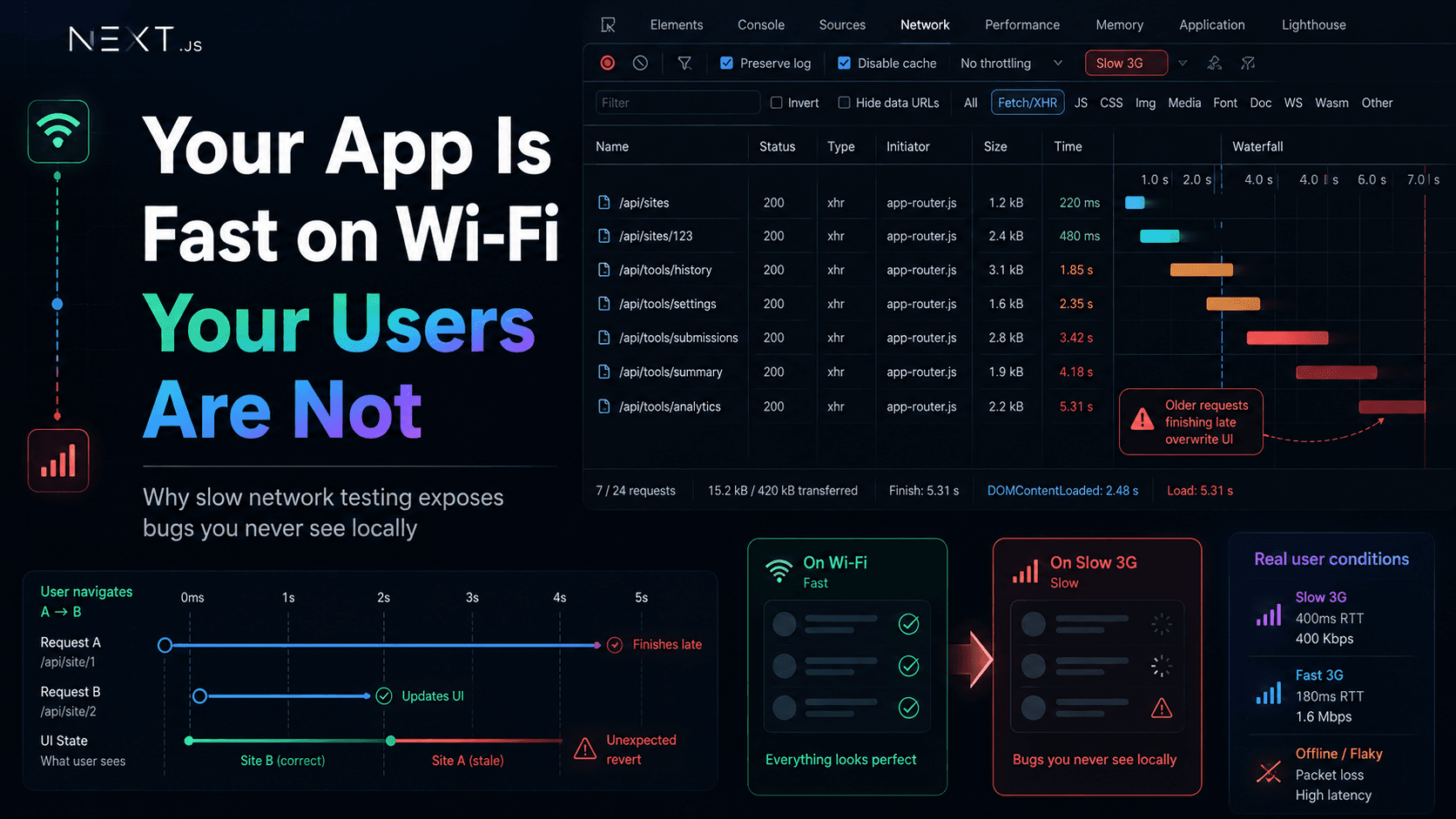
Symptoms in production (and in dev, if you clicked fast enough):- User opens site A, then site B before A’s request finishes—B’s UI briefly shows, then A’s data appears
- Search or filter changes fire multiple calls; an older filter’s response wins
- Loading spinners lie: the screen settles on stale content while a newer request is still in flight
- The bug only showed up during fast interactions—slow QA passes missed it entirely
useMemo, more loading flags, debouncing everything. Debouncing reduced noise; it did not guarantee correctness. Older requests still ran. They still consumed bandwidth. They could still call setState if nothing stopped them.
The network tab changed everything
The breakthrough was boring: open DevTools → Network, reproduce with fast clicks, sort by start time and finish time. Request 1 starts (site A). Request 2 starts (site B). Request 2 finishes first—UI looks correct. Request 1 finishes later—UI regresses. The network tab does not care which request you care about anymore. It only reports what completed. That is when “navigation felt haunted” became a concrete sentence: ghost API requests—calls you no longer intend to honor, still resolving and still wired to state updates.What ghost API requests actually are
A ghost request is an in-flight HTTP call whose response should no longer apply to the current UI context:- User navigated away
- Filter/query changed
- A newer request superseded an older one
- Component unmounted
setState does not know that unless you teach it.
Why race conditions happen
A race condition here means: multiple async operations compete to update the same state, and outcome depends on timing, not on user intent. Common triggers in modern Next.js apps:- Client-side navigation between dynamic routes (
[id]segments) - Parallel
useEffectfetches keyed on params - Optimistic UI + refetch
- Strict Mode double-mount in development (surfaces missing cleanup early)
- Network waterfalls when parent and child both fetch related data
Async requests are not ordered
We mentally model:File
text
start A → start B → finish A → finish B
File
text
start A → start B → finish B → finish A ← stale wins
Fast navigation exposed the problem
In my app, workspace pages load data in client islands: history, settings, submit. Users hop between websites from a list. Each hop changeswebsiteId and triggers a fetch.
Slow navigation hides the bug because request n finishes before n+1 starts. Fast navigation overlaps them. The App Router makes fast navigation the default experience—that is good UX, harder async correctness.
AbortController and request cancellation
AbortController tells the browser: this response is no longer relevant. Abort on cleanup, route change, or when issuing a superseding request.
fetch + useEffect cleanup
TypeScript
ts
useEffect(() => {const controller = new AbortController();async function load() {try {const res = await fetch(`/api/tools/history?websiteId=${websiteId}`, {signal: controller.signal,cache: "no-store",});if (!res.ok) return;const data = await res.json();setRows(data.submissions);setError(null);} catch (err) {if (err instanceof DOMException && err.name === "AbortError") {return; // cancelled — not a user-visible failure}setError("Could not load history");} finally {setLoading(false);}}setLoading(true);void load();return () => controller.abort();}, [websiteId]);
What is AbortError?
When a request is aborted, fetch rejects with AbortError. Treat it as expected control flow, not an incident. Do not toast it. Do not increment error metrics for it.
Cancellation is about correctness first: prevent old responses from updating UI. It can save bandwidth too, but the primary win is stale state not landing.
AbortController does not solve every async bug. It helps when older work should stop mattering. It does not replace idempotent server design, optimistic rollback, or careful mutation ordering.
SWR and deduplication
Where rawfetch in effects felt brittle, SWR helped coordinate reads:
- Deduplication — same key, one in-flight request shared by subscribers
- Cache — instant back navigation can show last good data while revalidating
- Keyed revalidation — when
websiteIdchanges, the key changes; SWR focuses fetches on the new key
TypeScript
ts
import useSWR from "swr";const fetcher = (url: string) => fetch(url, { cache: "no-store" }).then((r) => r.json());function HistoryPanel({ websiteId }: { websiteId: string }) {const { data, error, isLoading } = useSWR(websiteId ? `/api/tools/indexnow/submissions?websiteId=${websiteId}` : null,fetcher,{ keepPreviousData: false },);if (isLoading) return <p>Loading…</p>;if (error) return <p>Failed to load</p>;return <HistoryList rows={data.submissions} />;}
keepPreviousData showing the wrong site’s cache can still bite you. It is a coordination layer—valuable when you want caching + dedupe without reinventing them per screen.
For mutations, I still think explicitly: invalidate which keys, avoid optimistic UI that assumes ordering, and do not let a slow POST’s refetch overwrite a newer GET’s results without a generation counter.
Debouncing vs cancellation
| Approach | What it does | What it does not do |
|---|---|---|
| Debouncing | Delays starting work until input settles | Stop already-started requests |
| Cancellation | Invalidates in-flight work when context changes | Reduce keystroke churn by itself |
| Request sequencing | Ignores stale responses (version counter) | Cancel network unless combined with abort |
Ignoring stale updates (without abort)
Sometimes you keep the request but guard state:TypeScript
ts
let version = 0;useEffect(() => {const v = ++version;void fetch(url).then((res) => res.json()).then((data) => {if (v !== version) return; // newer effect ran — drop stalesetRows(data);});return () => {version += 1;};}, [websiteId]);
Request correctness vs optimization
It is tempting to frame this as performance tuning. In production it was a correctness bug: wrong rows, wrong counts, wrong “success” moments. Optimization asks: can we go faster? Correctness asks: does the UI reflect the user’s current intent? Old requests continuing in the background still cause harm if they touch shared caches, global stores, or toasts—even when local component state ignores them. That is why “we already navigated away” is not always enough without abort or global request scoping.What finally fixed the issue
The fix was a small bundle of habits, not a single library:- Abort on unmount and param change for effect-driven
fetch - SWR keys that include full context (
websiteId, page, filters)—never reuse a key across incompatible views keepPreviousData: false(or equivalent) when showing another site’s data is worse than a short loading state- Ignore
AbortErrorin error UI and logging - Reproduce with fast clicks in QA, not only happy-path walks
- Network tab review when state feels “random”
Final engineering lesson
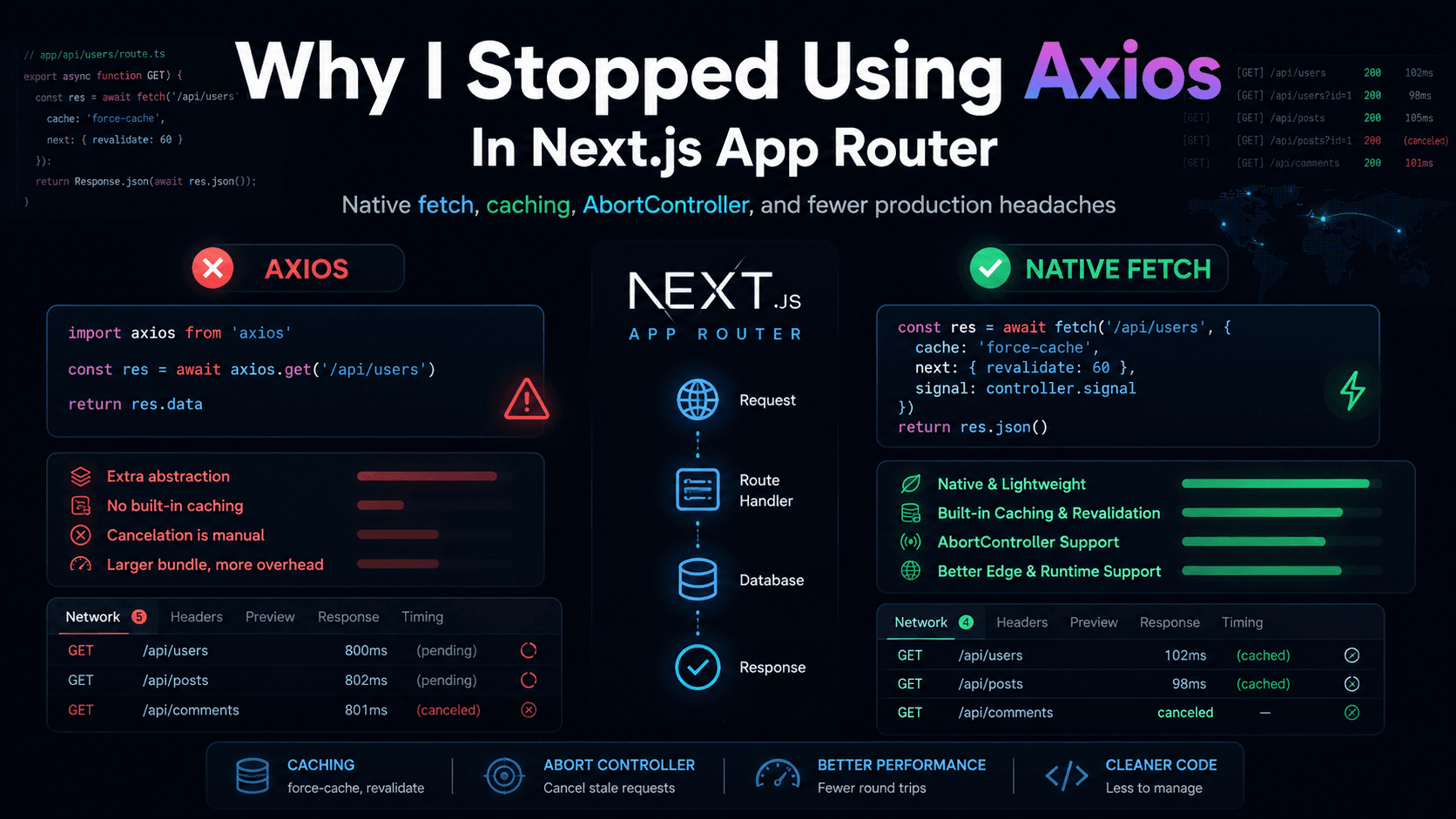
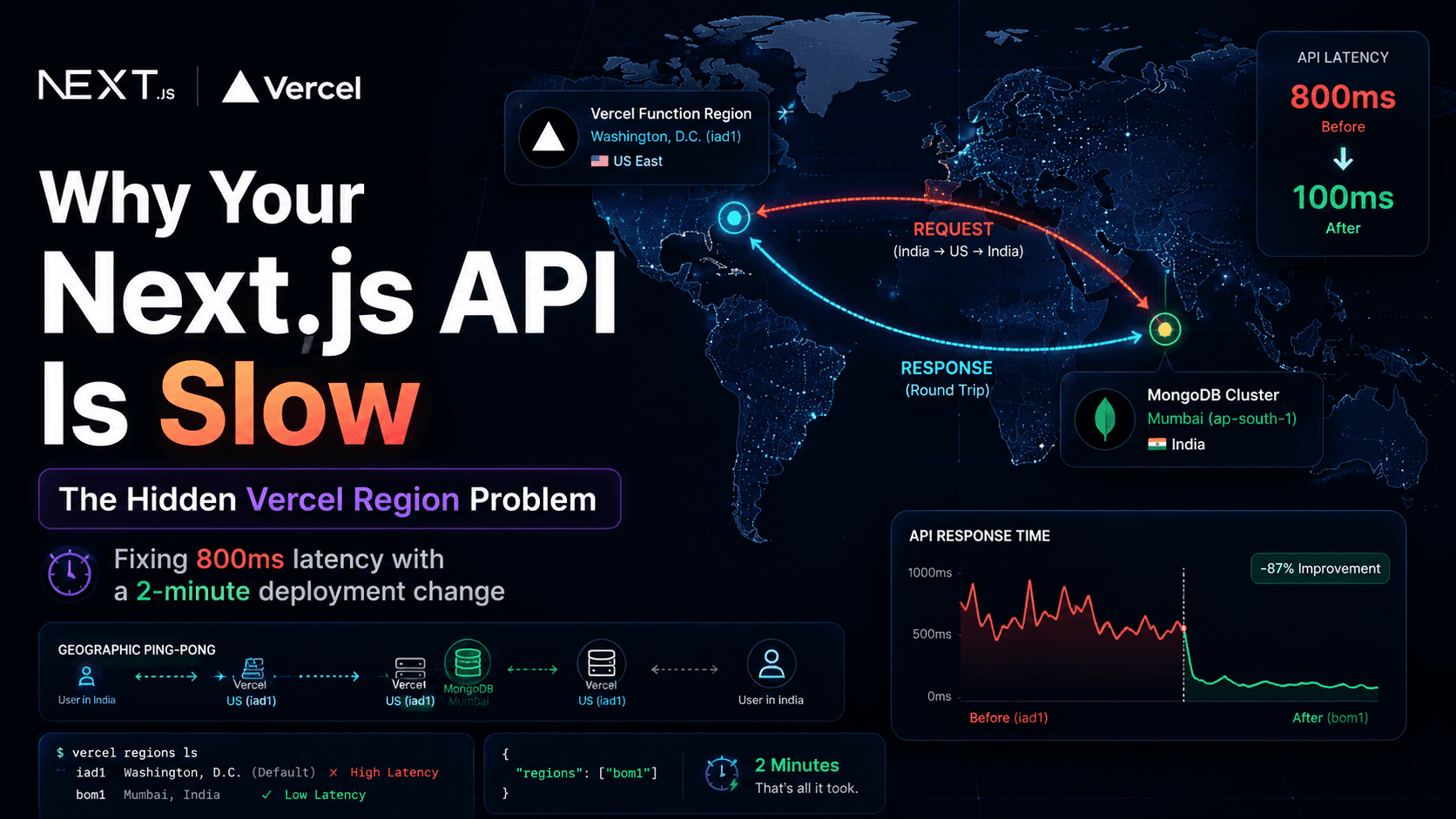
When the UI looks random, assume ordering, not mysticism. Sort the network timeline. Check which response last touched state. Ask whether latest intent is enforced. Async is fine. Unordered completion is inevitable. Your job is to decide which completions are allowed to matter. The network tab is unforgiving. That is why it is useful. Also read: Why I Stopped Using Axios in Next.js App Router · How to Change the Vercel Server Region for Next.js · Fix “Sitemap Couldn't Fetch” in Next.jsFAQ
Practical questions about ghost requests, AbortController, and SWR
What causes race conditions in React and Next.js?
Overlapping async work updating the same state—often from fast route changes, effects re-running on new params, or multiple fetches without sequencing. App Router makes navigation fast, which increases overlap.
Does AbortController improve performance?
Sometimes, by cancelling unused downloads. The main win is correctness: stale responses should not update UI or trigger side effects.
Is SWR enough to prevent stale requests?
Not alone. You need correct keys, sensible cache options, and clear mutation/refetch rules. SWR helps dedupe and coordinate; it does not replace thinking about superseded requests.
What is the difference between debouncing and cancellation?
Debouncing delays starting requests. Cancellation stops honoring in-flight requests when context changes. Both can coexist; neither replaces the other.
Can old API responses overwrite newer UI state?
Yes—that is the classic race. A slower older response can call
setState after a newer one unless you abort, ignore stale generations, or use a library that scopes updates to the latest key.Does App Router increase race-condition complexity?
It encourages fast client transitions and mixed server/client data patterns. Races are not new, but they surface more often when navigation is snappy and many client islands fetch on param changes.
Should every request use AbortController?
No. Use it when responses are tied to disposable UI context (route params, tabs, unmounting components). Mutations and fire-and-forget analytics may need different patterns.
What is AbortError?
The error
fetch throws when a request is aborted via AbortSignal. Handle it as expected flow—do not treat it like a server failure in user-facing error UI.