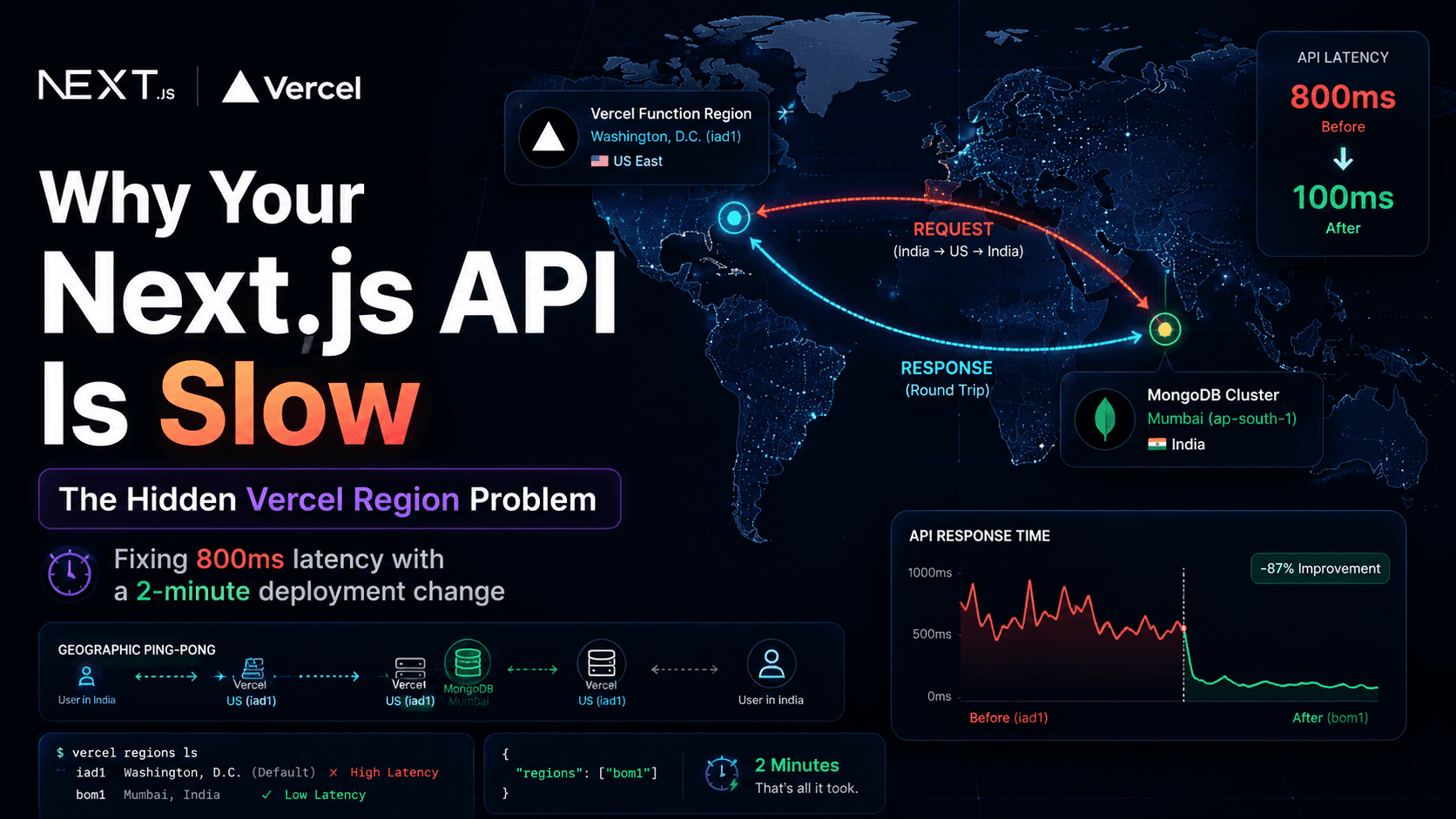
This is a production debugging story about Next.js App Router API routes that felt slow for no obvious code reason—and about a setting in Vercel that I had ignored until the numbers forced me to look at a map.If your MongoDB cluster lives in one country and your serverless functions run somewhere else, you are not fighting a slow query. You are fighting physics. I learned that the hard way on a real app: optimized handlers, sensible .find() + .populate() patterns (no heavy aggregation pipelines), and ~800ms+ responses in production anyway. After moving compute to Mumbai (bom1), the same routes landed around ~100ms.
The app is a Next.js tools dashboard (App Router, Route Handlers under app/api/...). Nothing exotic: auth, MongoDB reads/writes, JSON responses. Local dev felt fine. Production felt… sticky.Not “site is down” slow. Consistently high latency slow—the kind that makes you refresh twice because you assume the network glitched, then realize the network is fine and the API is just expensive.I started where most of us start: the code.
Route handlers were not doing silly N+1 loops in application code.
MongoDB access used straightforward find() with populate() where needed—not giant aggregation pipelines for list views.
Payloads were small. No accidental “return the whole collection” moments.
Indexes were reasonable for the access patterns I cared about. Query plans looked sane when I checked them in Atlas.So I did what engineers do when code looks innocent: I assumed I had missed something subtle in the handler, or that cold starts were eating me alive, or that I needed another round of micro-optimizations.None of that explained ~800ms+ on routes that should have been a quick document fetch and a JSON serialize.Also read:Fix “Sitemap Couldn't Fetch” in Next.js
The breakthrough was not a profiler flame graph. It was a question I should have asked on day one:Where does this function actually run?On Vercel, serverless functions run in a region you configure (or default to). That region is the place your Route Handler executes, opens the MongoDB connection, waits on the wire, and returns.My MongoDB Atlas cluster was in Mumbai.My Vercel functions were not.They were in Washington, D.C. (iad1)—Vercel’s common default for many projects.So every API request was a small geography lesson:
Think of it as two separate trips on every request:
File
text
Browser → Vercel function (iad1, US) → MongoDB (Mumbai) → Vercel function → Browser
Even when each hop is “fast,” you pay round-trip time twice across a large stretch of the planet. At scale, that shows up as hundreds of milliseconds of baseline latency that no amount of clean TypeScript will remove.A simple way I explain it to myself:
Piece
Where it lived
What it meant
Data
Mumbai (Atlas)
Queries themselves were fine
Compute
US East (iad1)
Every DB call crossed regions
Symptom
~800ms+ API
“Slow backend” that was really slow placement
Compute should live close to data. Not as a slogan—as a default architecture rule.
If you never touch region settings, Vercel may deploy your functions to a default like iad1. That can be perfectly fine when your database and your users are also US-centric.It is not fine when your database is in Asia and you are wondering why your “optimized” API still feels like it is wading through mud.
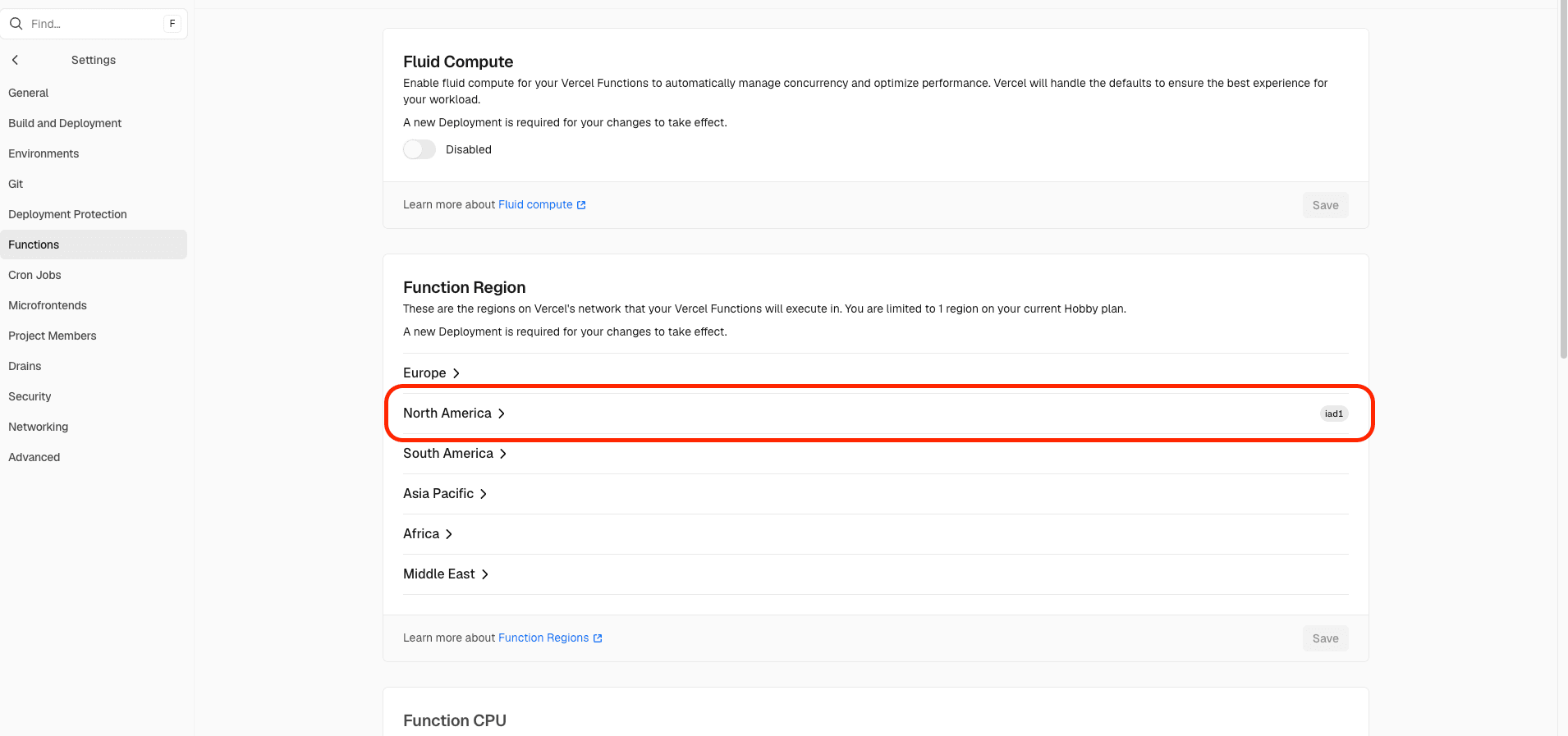
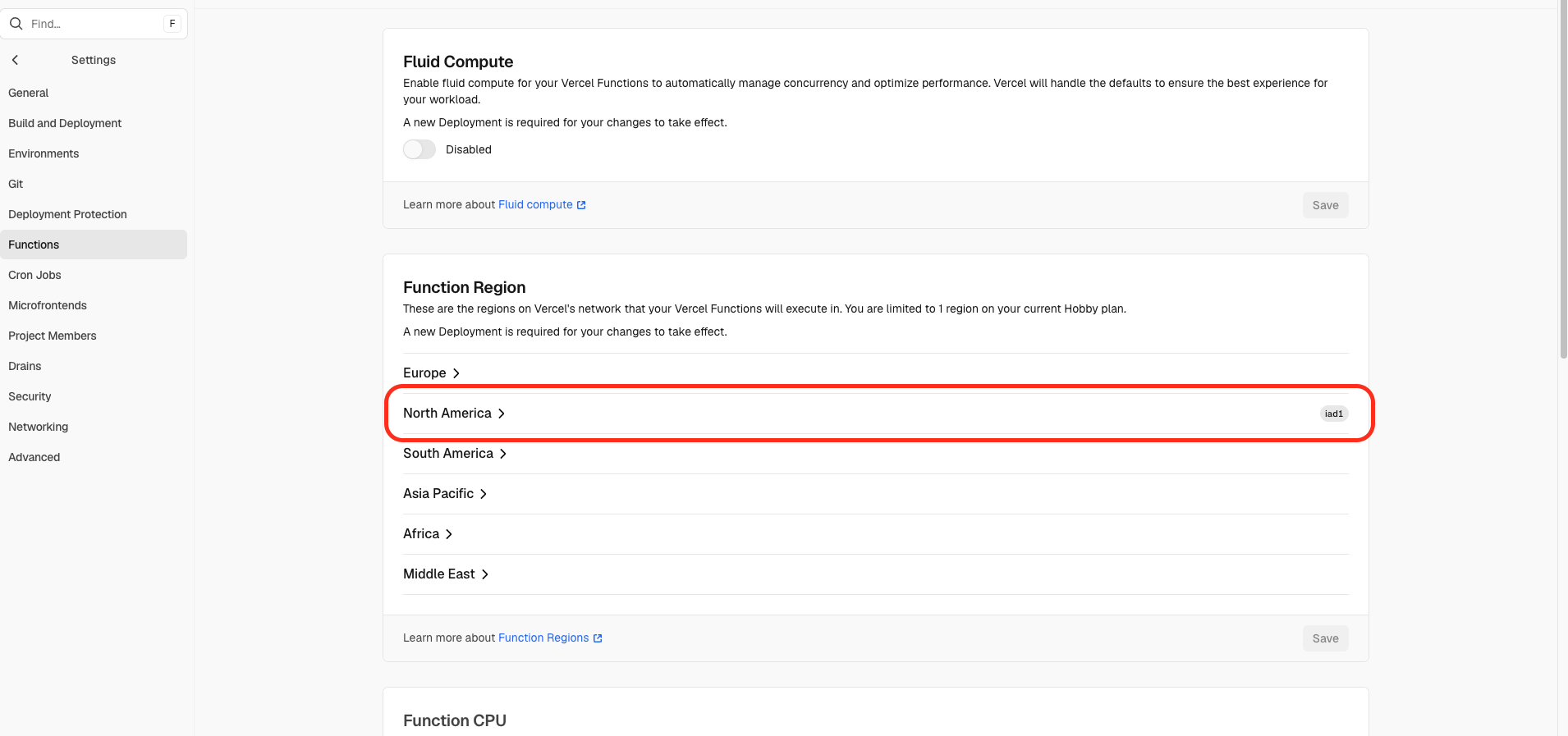
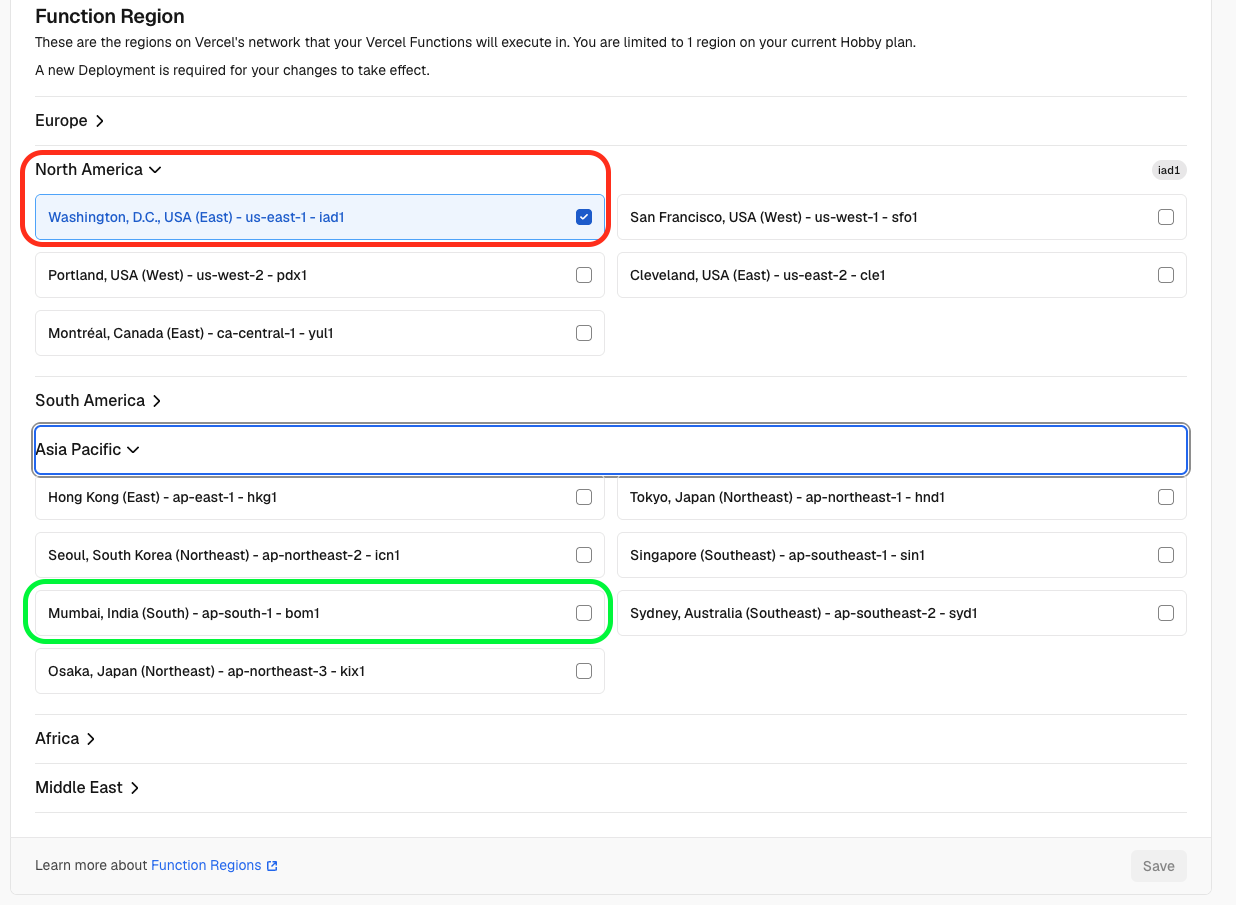
This is what my project settings looked like before I changed anything—Washington, D.C. (iad1) as the function region:
By default, Vercel deployed my serverless functions in Washington D.C. (iad1).Seeing iad1 next to a Mumbai cluster name in Atlas was the moment the ~800ms story stopped being mysterious.
You can set the region in the Vercel dashboard or in vercel.json. Both approaches target the same thing: where serverless functions execute.Common region codes (not exhaustive):
Code
Location (approx.)
iad1
Washington, D.C., USA
bom1
Mumbai, India
sin1
Singapore
fra1
Frankfurt, Germany
Pick the region closest to your primary database (and, when it matters, closest to most of your users).
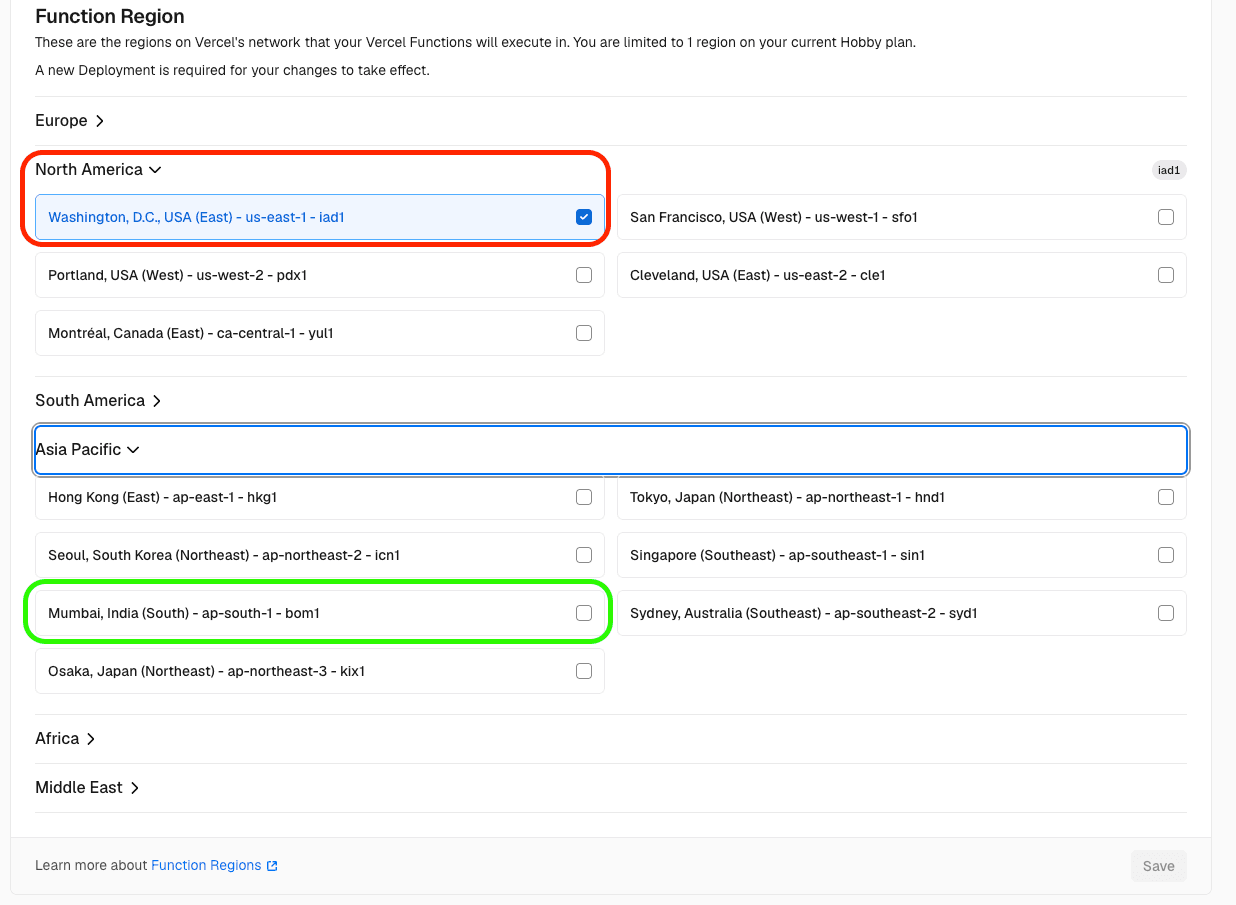
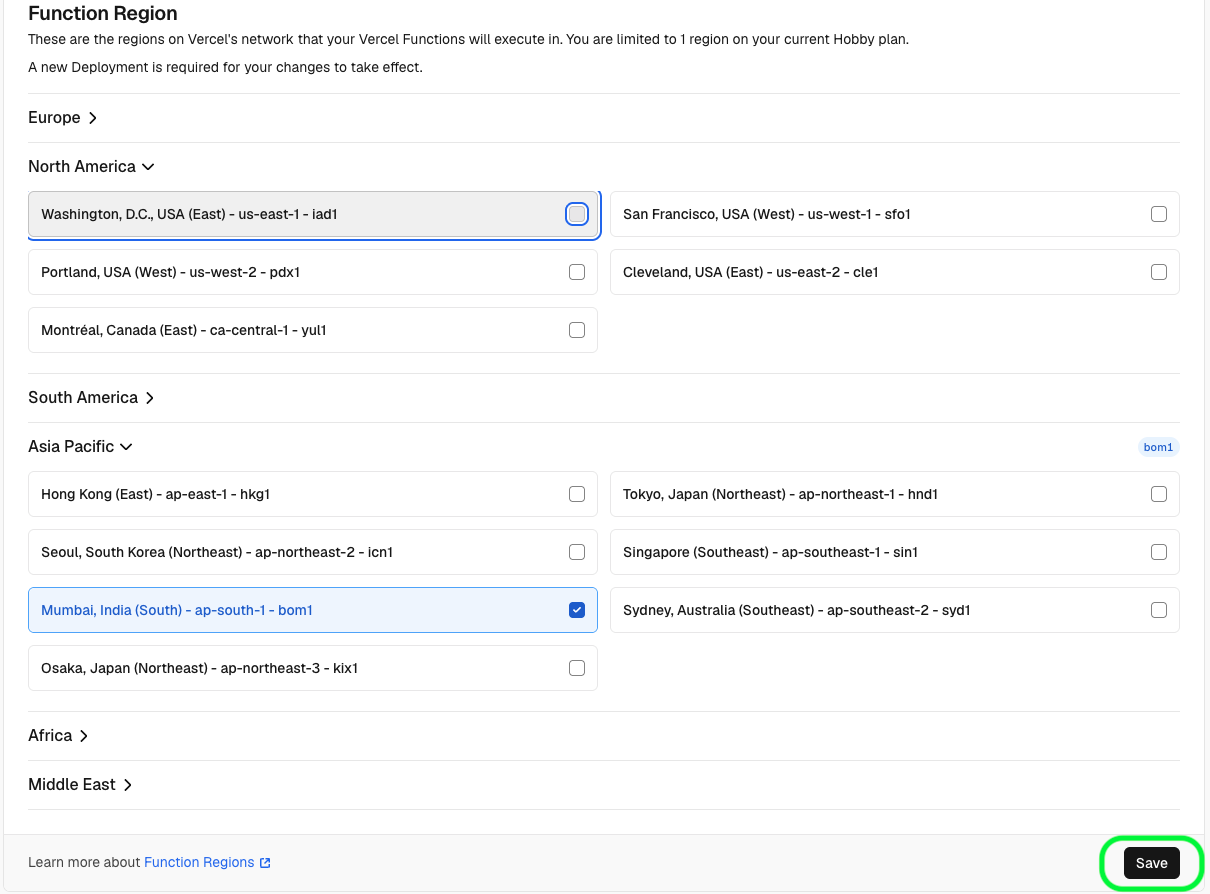
Path (names can shift slightly in the UI):Project → Settings → Functions → Function Region
Open your project on Vercel.
Go to Settings.
Find Functions (sometimes grouped under deployment/runtime settings).
Change Function Region to your target (I used bom1).
Click Save.
Important: changing the region in the dashboard is not enough on its own. You need a fresh deployment—redeploy the project—before the new region reliably applies to production traffic. I missed this once and thought the setting “did not work.” It worked; I had not shipped a new deployment yet.
You can pin the region in repo config so it is obvious in code review:
JSON
json
{
"regions":["bom1"]
}
Commit that file, push, and let Vercel deploy. Same rule applies: treat region changes like infrastructure changes—verify on a new deployment, not just a settings toggle you never shipped.
I did not run a formal benchmark paper. I watched production-like traffic and repeated the same API calls I had been annoyed by.Roughly:
Observation
Before (iad1)
After (bom1)
Typical API latency
~800ms+
~100ms
Code changes required
None for the win
None for the win
MongoDB query shape
Already lean
Unchanged
The emotional difference matters too: the UI stopped feeling like it was apologizing on every click.Cold starts still exist in serverless. They did not magically disappear. But removing cross-region database round trips was the dominant fix—bigger than any micro-tweak I had considered in the route handlers.
I spent time in the wrong layer because the wrong layer was where the pain showed up: API latency.The database was already doing its job. The handlers were already reasonable. The missing piece was placement—making sure serverless compute and MongoDB were in the same neighborhood.When production feels slow and the code looks fine, ask:
Where does this function run?
Where does the data live?
How many ocean crossings happen per request?
If the answers do not match, fix geography before you rewrite business logic.
FAQ
Practical questions about Vercel regions and Next.js latency
Does changing Vercel region affect SEO?
Not directly. SEO crawlers care about HTML response times and reliability for pages they fetch. Region changes can indirectly help if your server-rendered pages or API-backed UI become faster for users, but changing function region is an infrastructure decision—not an SEO toggle.
Which region should I choose?
Start with the region closest to your primary database. If most users are in one geography and your DB is elsewhere, weigh both—but for data-heavy APIs, compute near the database usually wins.
Does the App Router automatically fix latency?
No. The App Router organizes your code and rendering model; it does not choose Vercel’s execution region. You still configure function region (dashboard or vercel.json) and redeploy.
Should database and serverless functions use the same region?
For request/response APIs that hit the database on most calls: yes, strongly prefer yes. That is the whole lesson of this post—cross-region hops become baseline latency you cannot code away.
Is this only a Next.js issue?
No. It is a serverless placement issue. Next.js on Vercel is just a common place people notice it because Route Handlers feel like “normal backend code” until you remember they run in a configured region.
Can changing region reduce cold-start latency too?
Sometimes, a bit—but do not expect region alone to erase cold starts. In my case, the dramatic drop was from shorter database round trips, not from eliminating cold starts entirely.
Do I need to redeploy after changing the function region?
Yes. Saving the region in the dashboard (or merging vercel.json) should be followed by a fresh deployment. The new region applies to the deployment that picks up that configuration—not retroactively to old function instances by wishful thinking.
Before optimizing another query, check whether your compute and data are even in the same region. Sometimes the bottleneck is not the query—it is the map.